Video2Audio Transcoder
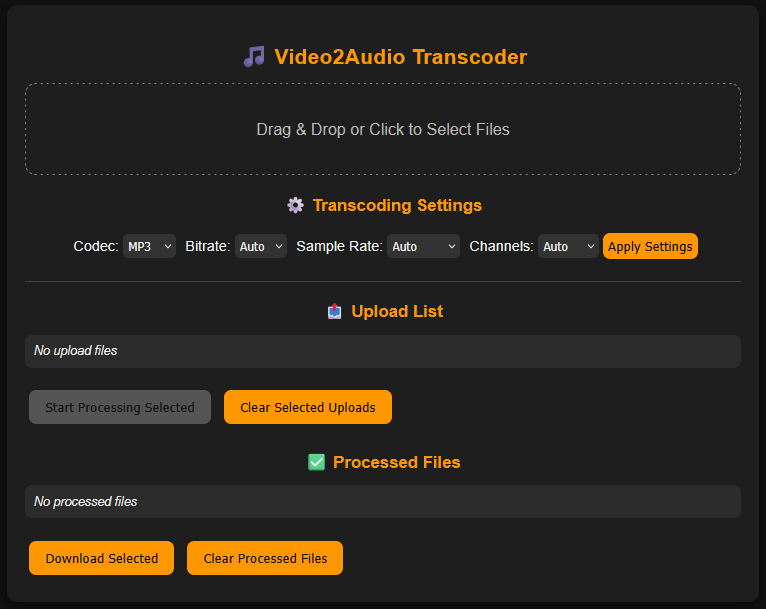
A simple web application to convert video files to audio in various formats with custom settings. Built with Flask and FFmpeg, it supports drag-and-drop uploads, batch processing, and downloading processed audio.
👉 Check out on GitHub
Features
- Convert video files to audio formats: MP3, AAC, FLAC, WAV
- Configure bitrate, sample rate, and channels per file
- Batch upload and processing
- Download processed files directly from the browser
- Automatic detection of lossless vs lossy formats
- Friendly UI with real-time status updates
Web UI
Installation
1. Clone the repository
git clone https://github.com/trholy/video2audio.git
cd video2audio
2. Build and run the app with Docker
docker compose up --build
3. Access the app: Open your browser and go to http://127.0.0.1:5000
Usage
- Drag and drop video files into the upload area or click to select files.
- Configure your desired audio codec, bitrate, sample rate, and channels.
- Click Apply Settings.
- Select files to process and click Start Processing.
- Once processed, click Download Selected to save the audio files.
Project Structure
video2audio/
├── .dockerignore
├── .gitignore
├── Dockerfile
├── LICENSE
├── README.md
├── docker-compose.yml
├── img
│   └── app_screenshot.png
├── processed
│   └── .gitkeep
├── processing
│   └── .gitkeep
├── setup.py
├── src
│   └── video2audio
│       ├── __init__.py
│       ├── app.py
│       ├── cli.py
│       ├── static
│       │   ├── css
│       │   │   └── style.css
│       │   └── js
│       │       └── main.js
│       ├── templates
│       │   └── index.html
│       └── transcoder.py
└── uploads
    └── .gitkeep
License
This project is licensed under the MIT License. See the LICENSE file for details.