Local image generation using ComfyUI
Last week, I started experimenting with AI image generation locally using ComfyUI - and honestly, it’s incredible how accessible high-quality results have become:
✅ Runs entirely on my local workstation
✅ Web interface makes workflow building straightforward
✅ Full control over models, prompts, and outputs
My main workstation is about 4 years old:
- AMD 5900X CPU
- RTX 3080 12GB GPU
- 64 GB DDR4 3600 MHz RAM
However, high-quality image generation only takes about 3 minutes!
The setup I’m experimenting with:
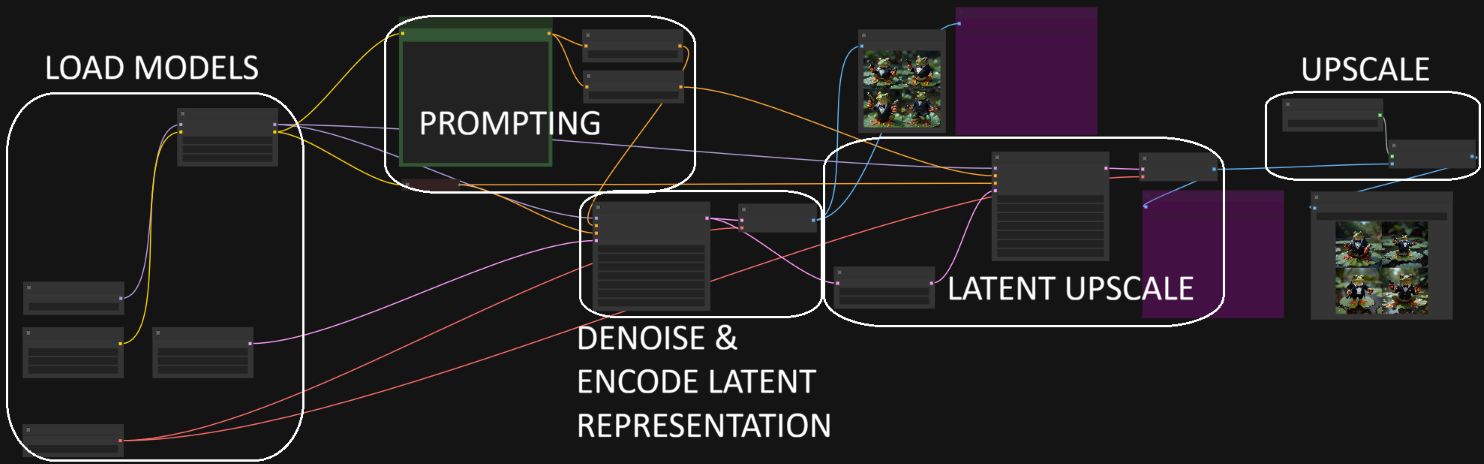
- ComfyUI for node-based workflow building
- Flux-dev-1 (quantized to FP8) as the main image generation model
- Dual CLIP models (T5XXL + CLIP-L) for stronger prompt understanding and guidance
- Realistic LoRA extension stacked on Flux for enhanced realism
- Latent upscaling combined with 4x-ESRGAN for high-resolution outputs (1024x1024 ➡️ 6144x6144)
Building the workflow in ComfyUI is very intuitive (see attached workflow): You can visually chain nodes to encode prompts, generate images, apply guidance, upscale, and save - all without touching Python scripts.
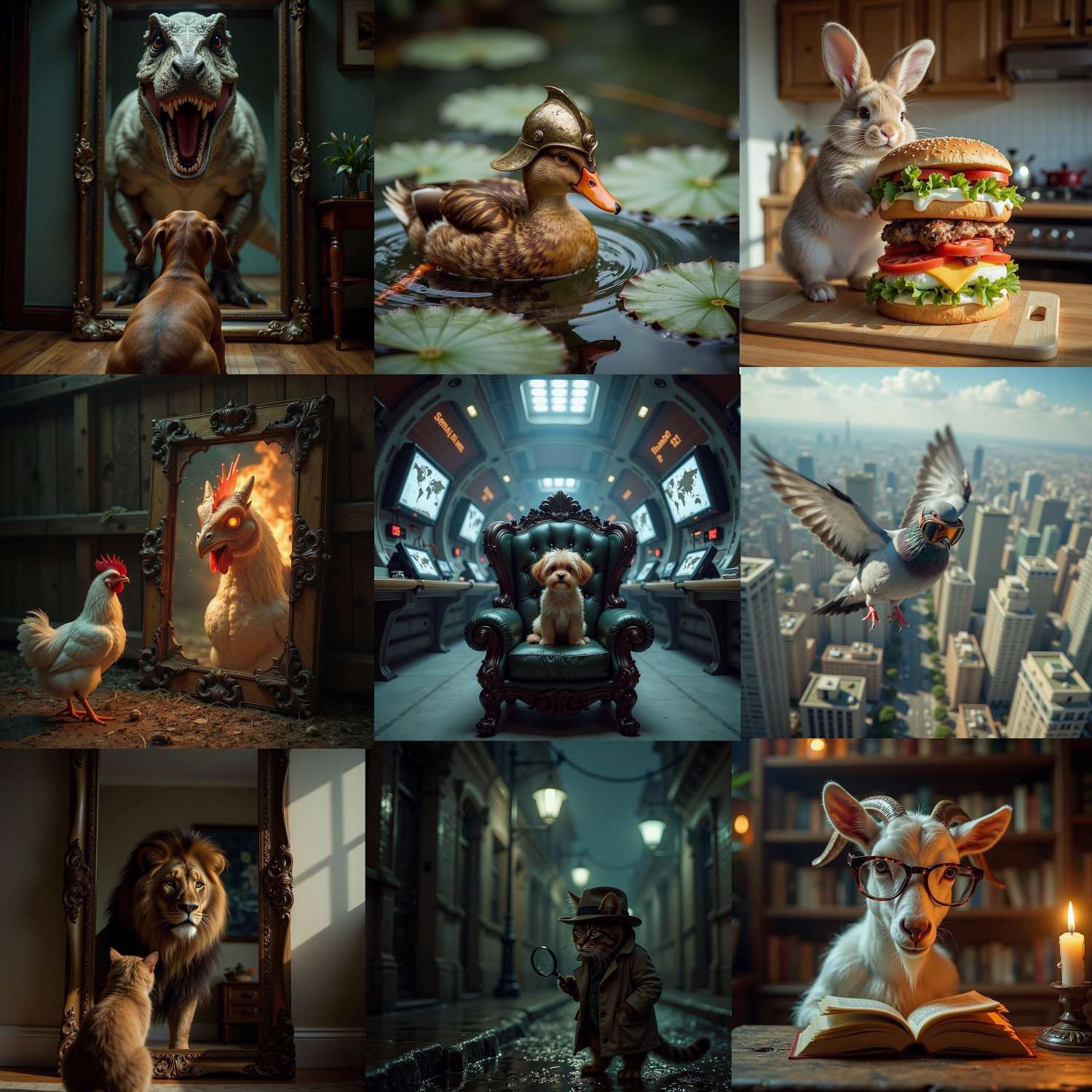
I attached a few example images I generated.
👉 Next step: Train my own LoRA to get more personalized outputs!